

Tech Support: Information Systems at The Bridge IT service desk
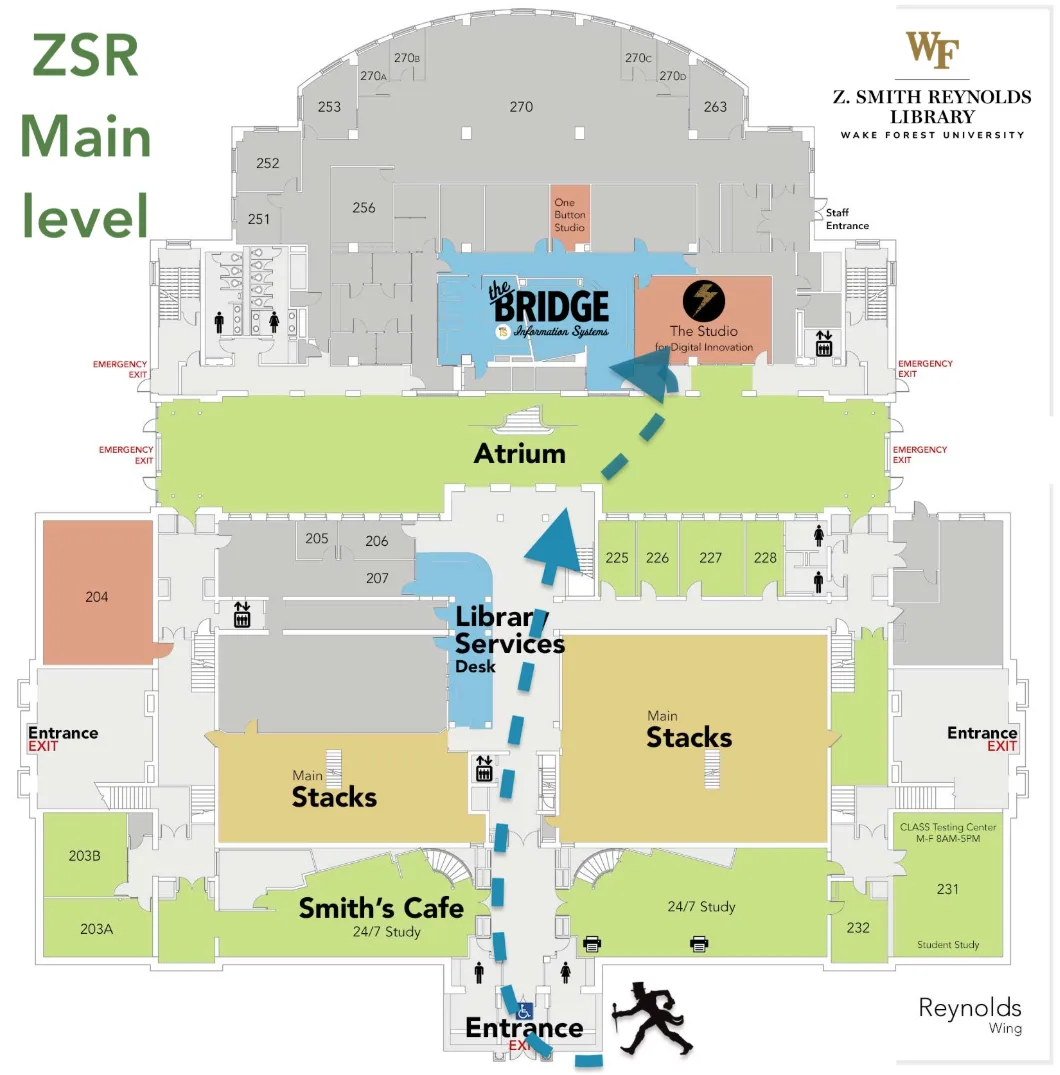
Visit The Bridge, main level of ZSR Library, for WakeWare repairs, support, and Information Systems expertise to support your studies. The Bridge is Wake Forest’s name for the Information Systems Help Desk, a short walk from the quad in the ZSR library. On-campus repairs are included in your WakeWare laptop, with walk-in service and priority access to loaners.

Software is included in your tuition: wait before you buy.
Software such as Microsoft Office, Adobe Creative Cloud, (including Photoshop and Acrobat) and Google’s Gemini AI assistant and NotebookLM, is included in tuition. Visit software.wfu.edu to review, license and install these packages and many others.

Shield your laptop with antivirus software
Windows 11 includes Windows Security. While antivirus is not included in the macOS operating system, IS does recommend you install antivirus of your choosing, and run regular scans.

Set and forget: establish regular backups
Protect your important files and data with an always-on backup strategy. See our knowledge article which provides an overview of options and how to implement them.

Printing
All students have access to DeacPrint – deacprint.wfu.edu – with campus printers located in ZSR and Benson. Students may also use their own printers, wired with a USB cable. ZSR article: Printing in the library

Ethical Use Policy
Keep in mind the Wake Forest University Ethical Use Policy, which outlines the responsible and ethical use of the computing resources and computing systems of Wake Forest University.

For answers to your WakeWare questions, contact:
Information Systems at The Bridge
Regarding:
- WakeWare features,
- Model specs,
- device or technical concerns,
- Software
- Data backup
- antivirus/cybersecurity
- Other questions related to technology at Wake Forest University
Taylor Bookstore
Regarding:
- orders and returns
- accessories, peripherals, and other merchandise
- custom WakeWare models
- adding repair coverage to a non-WakeWare new laptop.
The Financial Aid office
Regarding:
- Technology grant eligibility
- Student financial aid

Keep your receipt
If you purchase your WakeWare laptop online, your receipt will be attached to your confirmation email, and/or in the packing slip. If you purchase in the bookstore, you will receive a paper receipt. Take a photo or scan and save in a cloud storage location.